
Entering listings just got faster! New updates make the listing entry process quick and easy for you.
NEWS
Updates to listing entry: August 10
Learn about the new enhancements to Listing Assistant and Media Center.
The following items were released August 10:
Listing Assistant is now faster and easier to use.
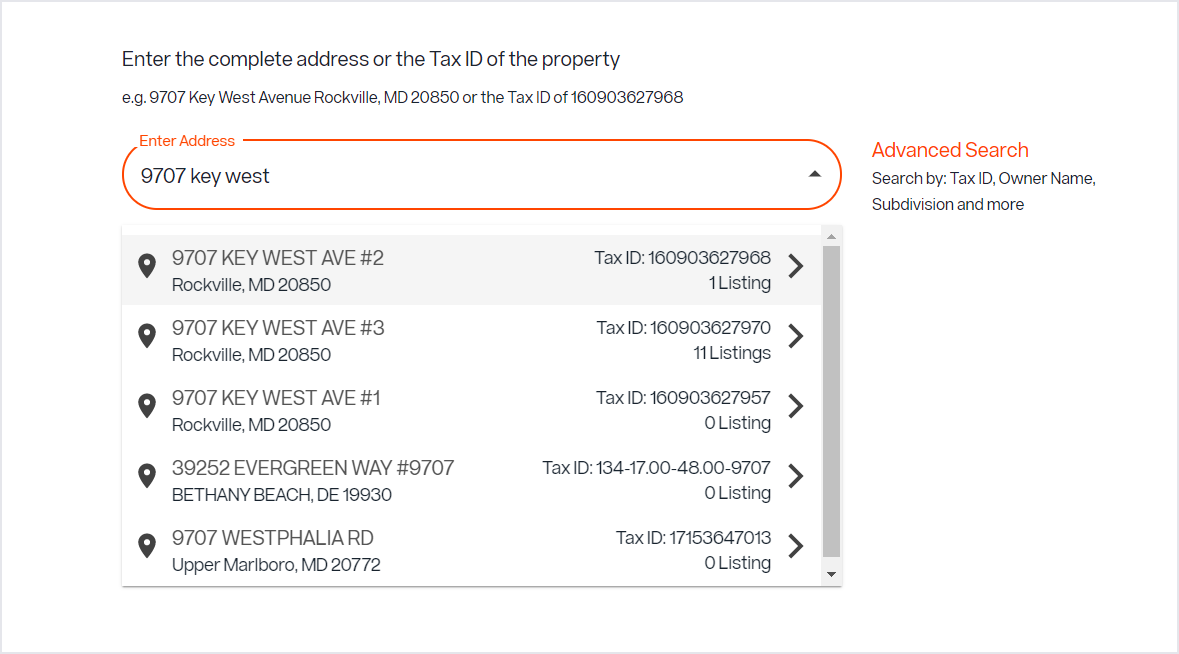
When entering a listing in Listing Management, you can save time adding property details using Listing Assistant. To make searching past listings and tax records even easier, now you can search by Tax ID as well as by address, see grouped search results before you select an address, and view search results in the order of their proximity to your office location. Learn more here.
You can now multi-select photos in Media Center.
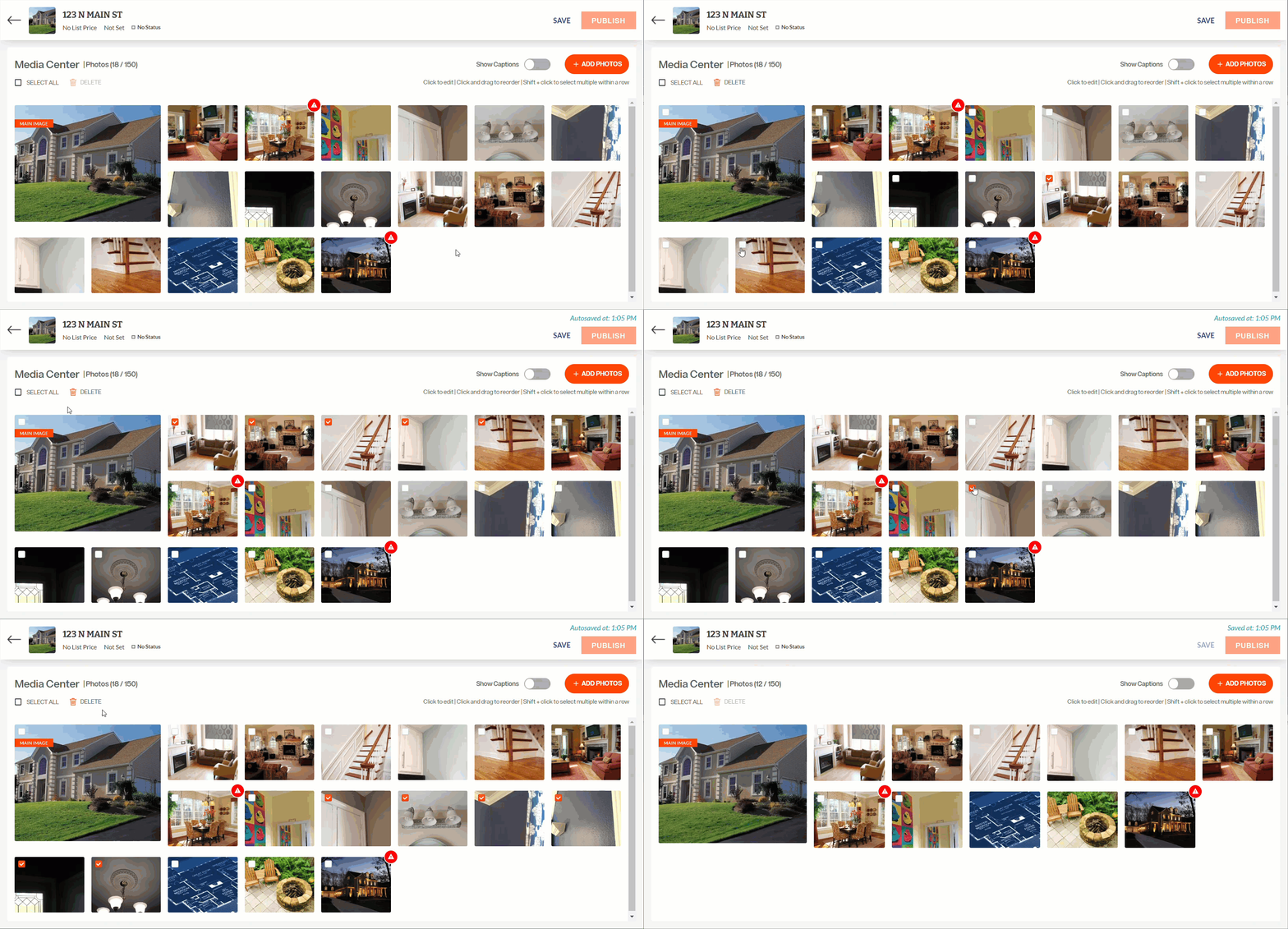
For easier sorting and a quicker experience managing your listing photos, you can now select a group of photos in Media Center by following these steps:
- Select the first photo you want using the checkbox in the upper left corner of the photo thumbnail.
- Press the Shift key and hold it.
- Select the last photo in the group you would like to include.
- Release the Shift key and all photos in between will be selected, allowing you to move or delete the group at once.
For information on past system releases, click here.
Need live training on entering a listing in Bright?
Register for one of our upcoming webinars.
Schedule a time to Connect with a Customer Success Coach.
Recent articles
Learn about the new Architect Name field, and recent updates to Search.
Back to Top