
As of July 20, there is a new process for entering listings in Bright. The Listing Assistant feature allows you to compare tax information and listing details from public records and previous listings.
NEWS
Now available: Listing Assistant Search Updates
Entering listings just got faster! New updates make the listing entry process quick and easy for you.
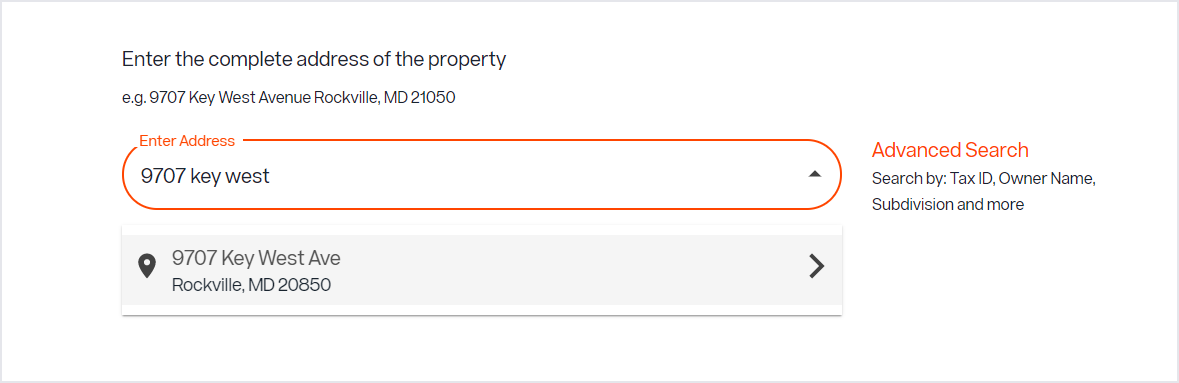
Save even more time when entering listings! Searching for tax records and prior listings is faster and easier with several new enhancements to Listing Assistant. Now, you can:
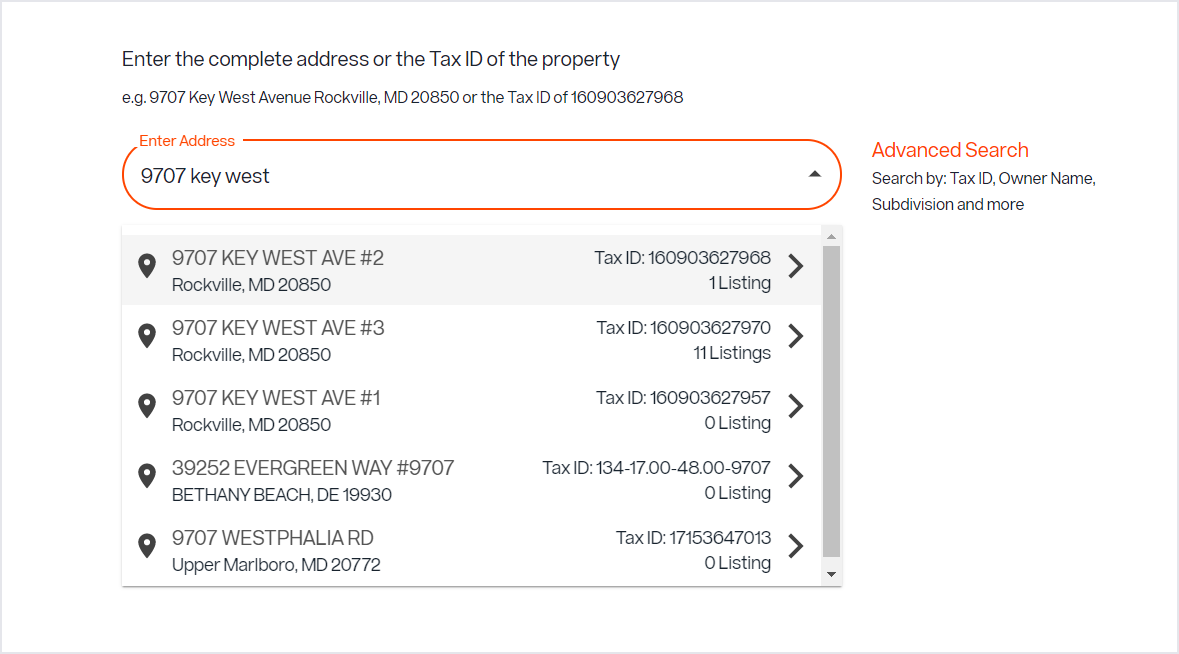
- Search by Address or Tax ID
- See grouped search results before you select an address
- View search results sorted by proximity to your office location so closest results are at the top of the list
Listing Assistant (Old) - Listing Management:
Listing Assistant (New) - Listing Management:
What’s Listing Assistant?
Last summer, we launched the Listing Assistant feature to help enter a new listing up to 30% faster. Listing Assistant allows you to compare tax information and listing details from public records and previous listings, giving you visibility into fields from the tax record as well as past listings for the property so you can easily add details to your new listing prior to the full edit screen.
Haven’t tried it yet? Test it out on your property or upcoming listing. Here’s how:
- Search for your property by address or Tax ID for the listing, and possible matches will appear.
- Select the tax record and up to 3 previous listings to compare the recent listing details for the property.
- Add or remove fields based on the information available from the compare screen.
When comparing listings, you can use all data, clear all data, or move details over one at a time. If one of the listings selected was your listing previously, you can also utilize your previous remarks, photos and documents.
Recent articles
Back to Top