
Read about the recent updates to your search criteria and saved results.
NEWS
Updates to listing entry and search: July 13
Learn about the new Architect Name field, and recent updates to Search.
The following items were released July 13:
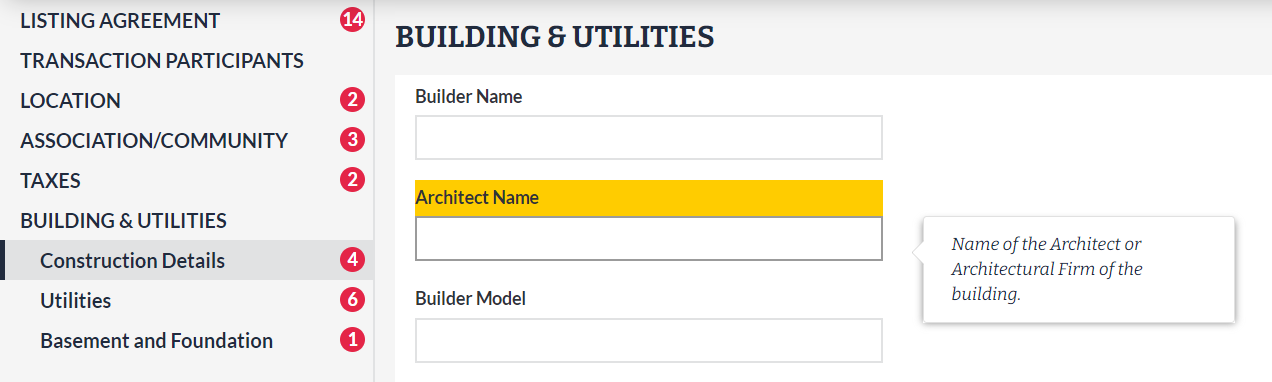
Architect Name is now available in Listing Management and Search.
Based on your requests, you can now identify the specific architect or architectural firm that designed a home or building on your listing. The new optional Architect Name field is available for all property types excluding Land listings, and is located in the Building & Utilities section of Listing Management.
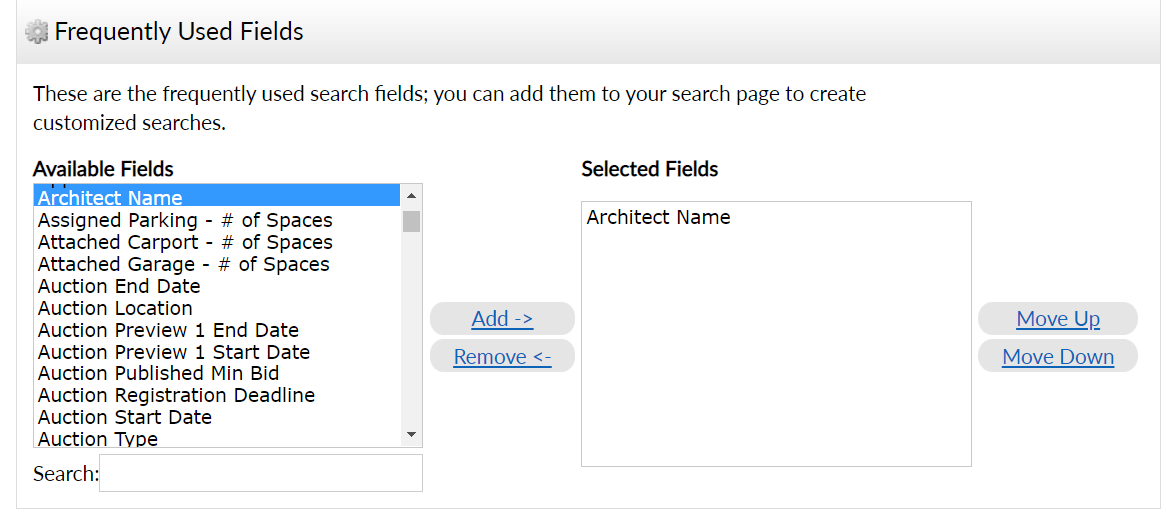
As listings are entered and updated with this information, Architect Name can be used to find properties for your buyer under Additional Fields in Search.
Short Sale and REO (Real Estate Owned) Y/N are no longer required for Commercial Lease listings.
For listings in the Commercial Lease property type, we have removed the Short Sale and REO (Real Estate Owned) Y/N field requirements from Listing Management, as these fields are not applicable to any lease listing.
The following items were released July 12:
Searchable text fields now accept up to 500 characters.
Any search field that allows you to type or paste in text now allows up to 500 characters, where previously there was no limit.
When refining search results, “Search selected for” is now limited to 250 records.
In search results, the “Search selected for” function located under the Refine tab now limits the number of listings you can select to 250 records.
For information on past system releases, click here.
Need live training on entering a listing or using Search in Bright?
Register for one of our upcoming webinars.
Schedule a time to Connect with a Customer Success Coach.
Recent articles
Supercharge your free Teams benefit with a powerful upgrade that gives you full control of your team and business.
Back to Top