
To help you avoid preventable fines and ensure listings follow Bright’s rules, new reminders will appear when external links and contact information are entered in public-facing remarks during the listing entry process.
NEWS
Updates to listing entry and search: August 17
Learn about some of the newest changes for apartments and condo listings, and new compliance reminders in Bright.
Based on subscriber feedback, we are making several changes that involve new and required fields in Bright.
Please note: Some of the changes below affect required fields in Listing Management. If you have an on-market listing that is an apartment or condo property, you may need to update these fields the next time you edit your listing. Learn more about finding and updating required fields.
New required field for condos and apartments: Washer/Dryer/Hook Up in Unit Y/N.
Based on your requests to differentiate between properties that feature a washer/dryer hookup within the unit itself versus a shared community space, we have added a new field labeled Washer/Dryer/Hook Up in Unit Y/N that will only show for listings in the following Structure Types:
- Unit/Flat/Apartment
- Penthouse Unit/Flat/Apartment
To help ensure this information is readily available to buyers, this field is now required for properties in either Structure Type and will be a yes/no selection. Listings that currently have washer and dryer details specified in other fields are being updated to automatically reflect Yes.
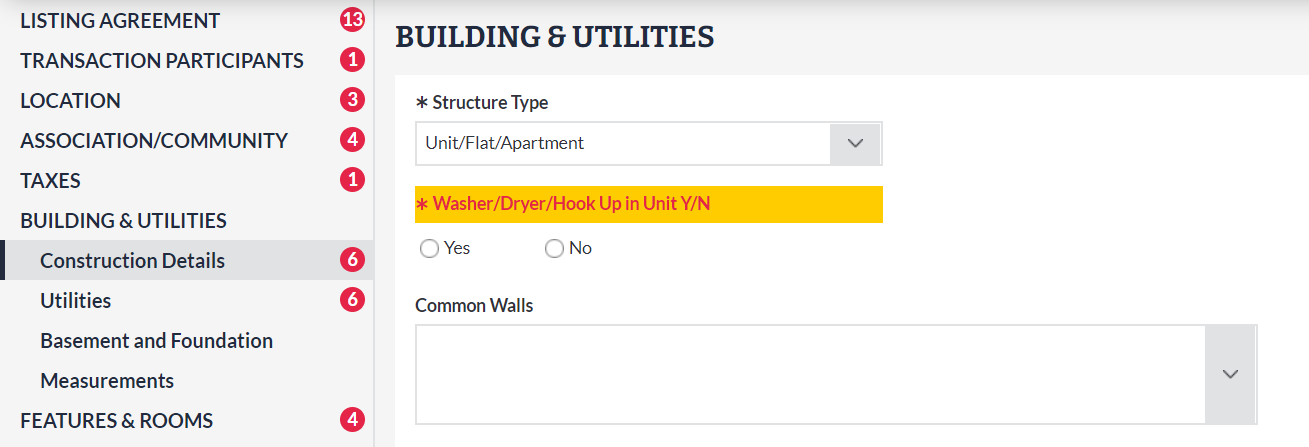
To search for properties using this field, select Washer/Dryer Hookup YN under Additional Fields in Search:

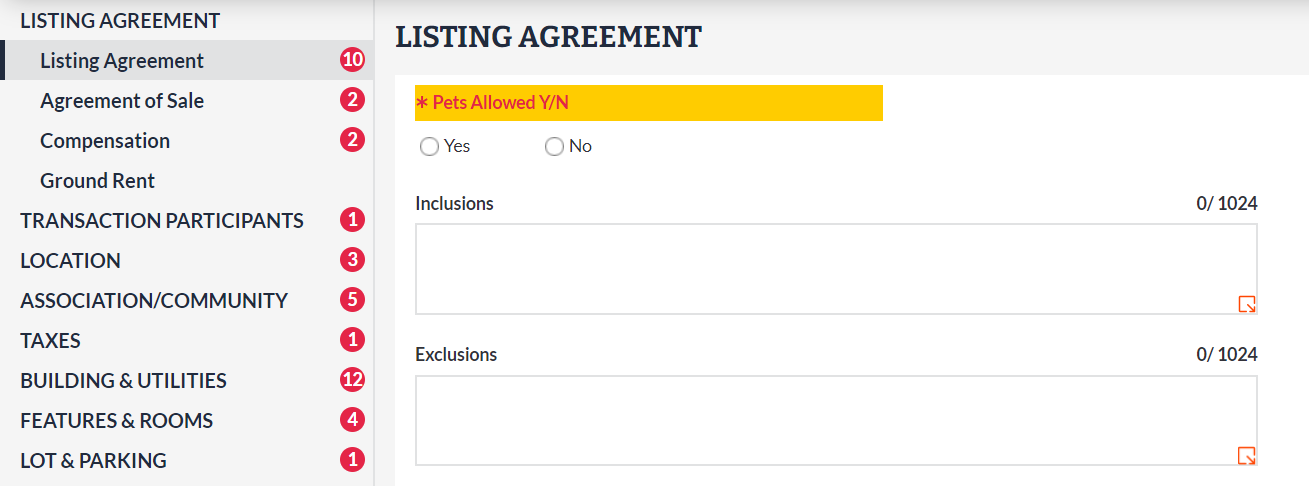
Pets Allowed Y/N is now required for all condo/coop listings.
Previously, Pets Allowed Y/N was only required for listings in the Residential Lease property type. To help buyer’s agents easily find this information when searching for condominium properties, this field is also now required for Residential Sale listings where Condo/Coop Association Y/N = Yes.
Compliance reminders in Listing Management.
To help subscribers avoid preventable fines and ensure listings follow Bright’s rules, new reminders will now appear when external links and contact information are entered in public-facing remarks during the listing entry process. Learn more here.

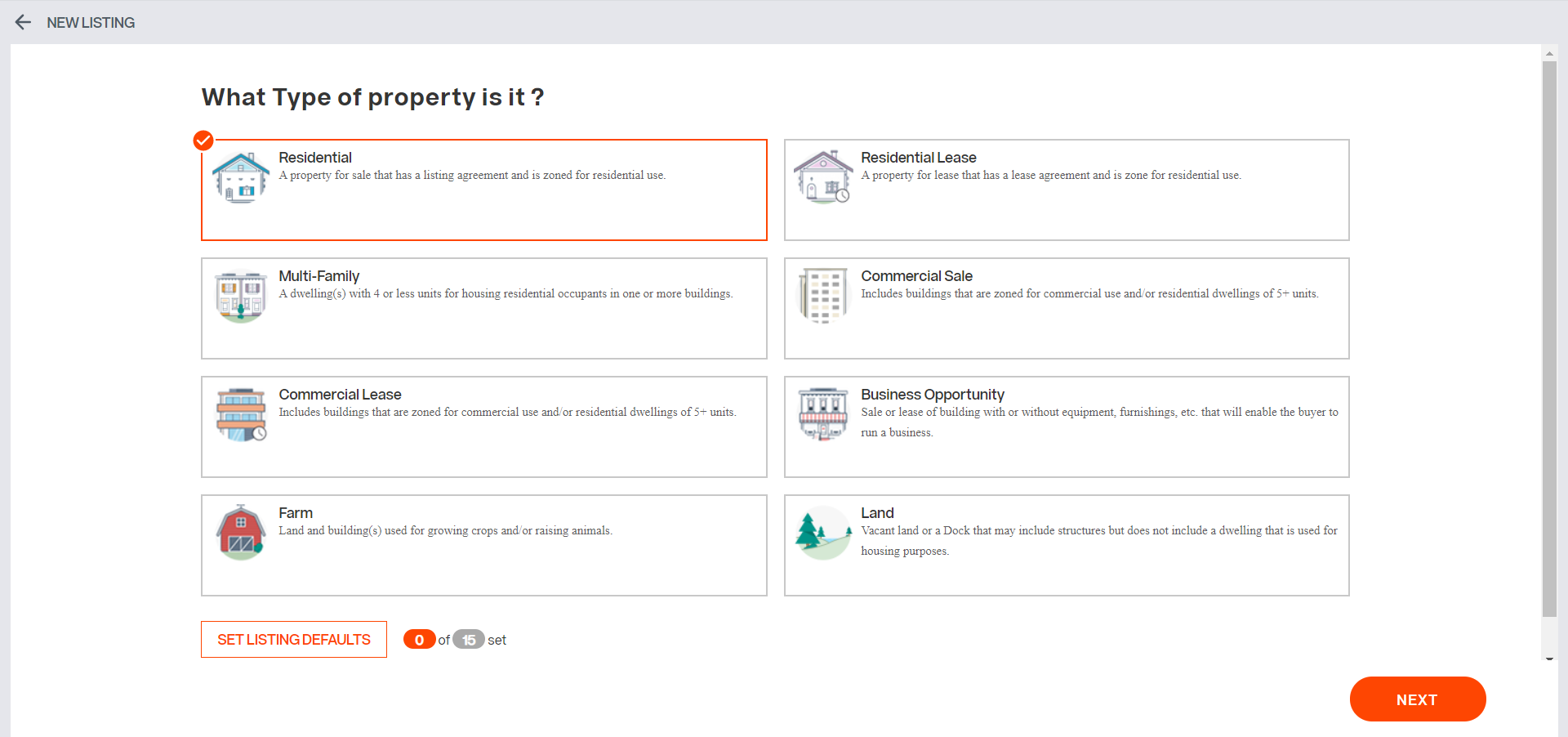
Simplified screen for adding new listings.
When adding a new listing in Listing Management, you no longer have to select Property Sub Type or Ownership Interest on the first screen, and the option for setting listing defaults has also been simplified:
For information on past system releases, click here.
Recent articles
Learn about some of the newest updates in Listing Management and Search.
Back to Top