
You can easily update emails automatically sent to clients within Bright by going to Auto Email underneath the Clients menu. Learn how.
NEWS
Updates to Search and reports: October 19
Learn about some of the newest updates in Search and reports.
The following items were released October 19:
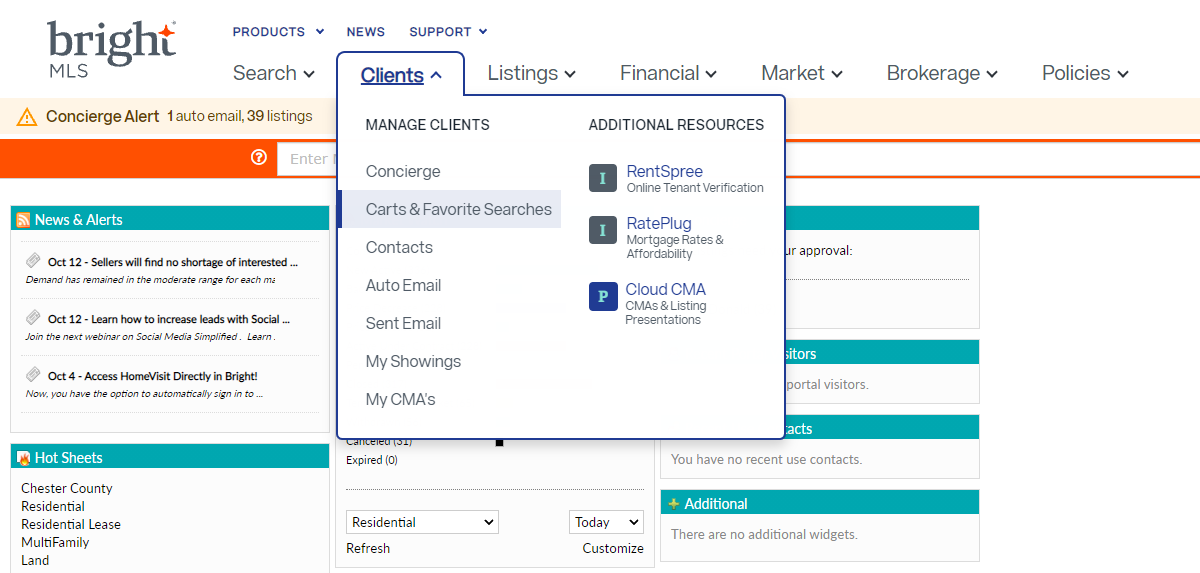
You can now save up to 25 Favorite Searches.
Based on your requests, the amount of favorite searches you can add has been increased from 10 to 25 in Bright. You can access all of your favorite searches from Carts & Favorite Searches under the Clients menu.
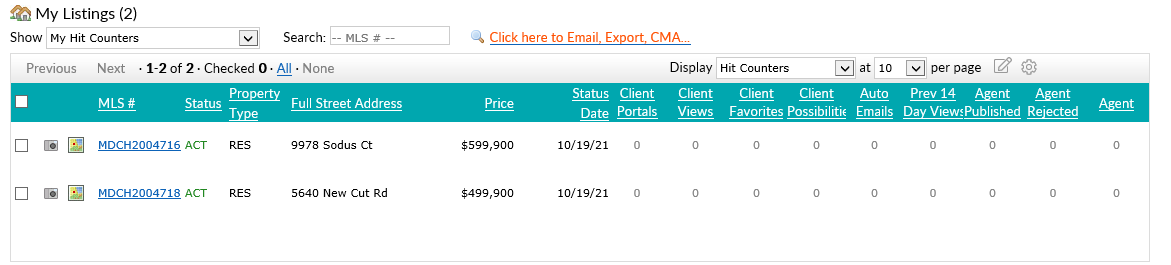
Updated display for My Hit Counters.
To help make the information displayed easier to follow, the following column headers have been updated under My Hit Counters in Search:
- S is now “Status”
- Prop is now “Property Type”
- Stat Date is now “Status Date”
Remarks now show up to 4,000 characters on all reports.
Previously, some remarks were getting cut off when viewing a listing in Search. All displays have been updated to show the full 4,000-character limit wherever remarks are included.
Price change arrow will no longer display on listings where price information is unavailable.
We have updated all reports in Search so that the up/down arrow indicating a price increase or decrease will no longer display on listings where the price is “0” or has not been provided.
For information on past system releases, click here.
Recent articles
Back to Top