
NEWS
Updates to listing entry and search: February 23
Learn about the new fencing options that are available in Listing Management and Search.
The following items were released February 23:
New Fencing options for Listing Management and Search.
We added two new picklist options for the Fencing field that describes the type of fence on a property. In addition to the current options, you can now specify your listing’s Fencing as being Wrought Iron or Aluminum in Listing Management.
This field is located under Lot & Parking and is available for Residential Sale, Residential Lease, Farm, and Land listings.

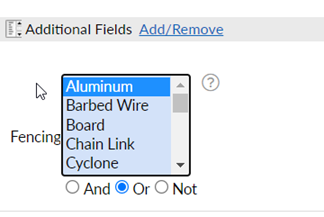
As these options are added to listings, you will also be able to narrow your search results if you have buyers who prefer these types of fences. The new options are available in the Fencing field in Search, which can be added to your search criteria under Additional Fields.
For information on past system releases, click here.
Need live training on entering a listing or using Search in Bright?
Register for one of our upcoming webinars.
Schedule a time to Connect with a Customer Success Coach.