
The new fields add at-a-glance transparency for buyers’ agents, listing agents, and their clients.
NEWS
Simplify the Offer Process for Buyers
SkySlope Offers makes it easy to submit offers in just a few steps directly in Bright Search—and manage all your offers in one place.
As a busy real estate agent juggling the demands of a successful business, you know the value of convenience and simplicity. No matter which side of the sale you’re representing, SkySlope Offers adds plenty of both to the offer process. For buyers’ agents, this timesaving tool makes submitting, reviewing, and managing offers on behalf of your clients a snap.
Submit an Offer in 4 Simple Steps
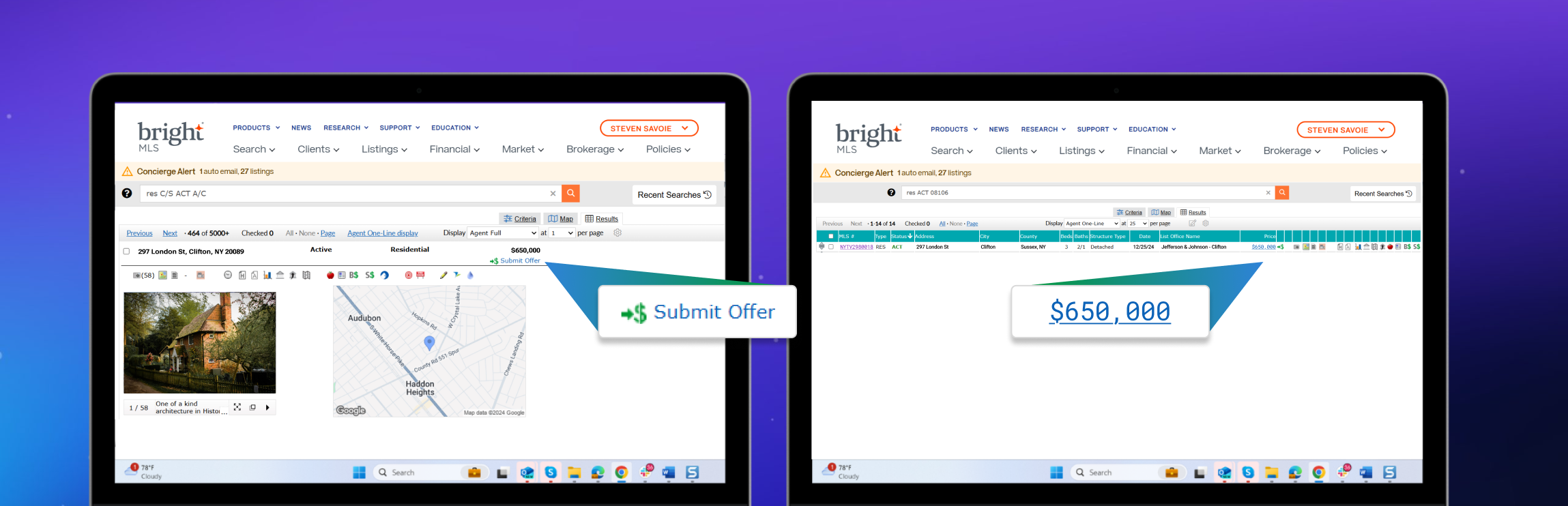
1. From Bright Search, click the the Submit Offer icon in the Agent Full display or click the Price link in the Agent One-Line display.
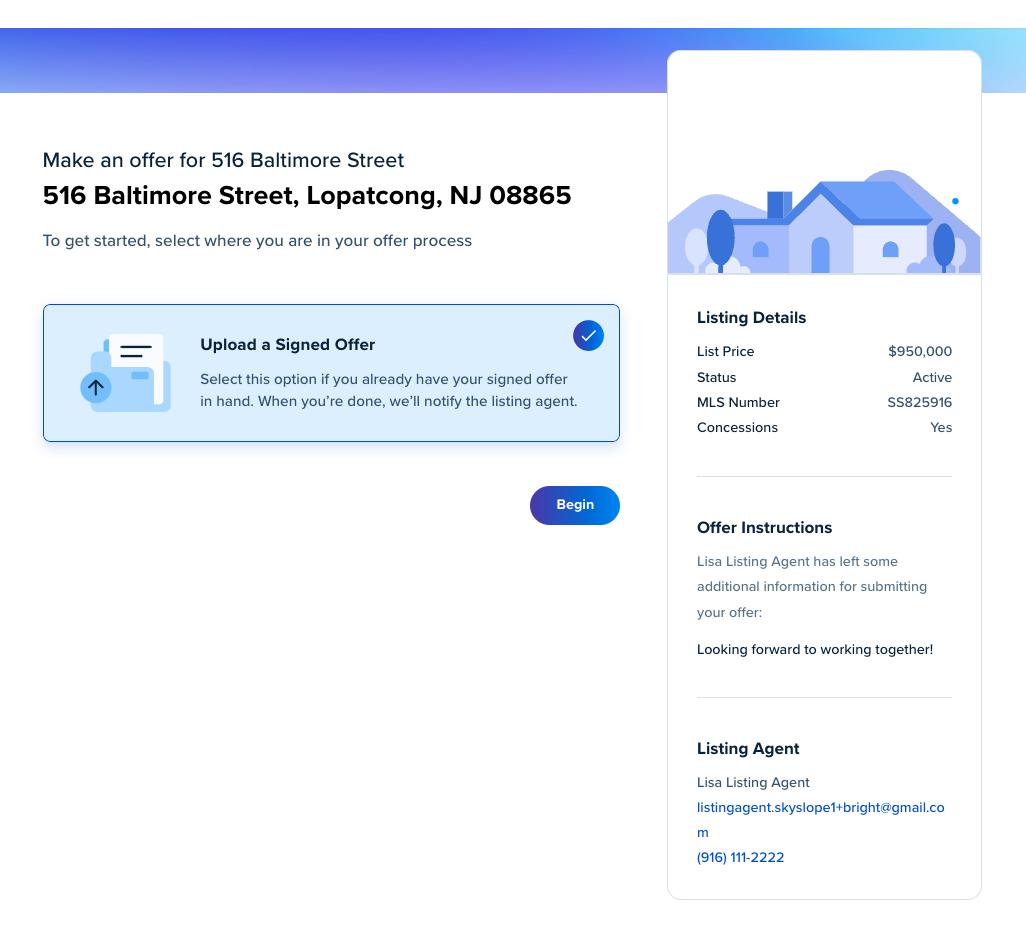
2. In SkySlope Offers, click Begin to start uploading your offer.
3. Drag and drop or browse to upload PDFs of offer documents (including essential details like buyer name, purchase price, closing date, etc.), then click Next.
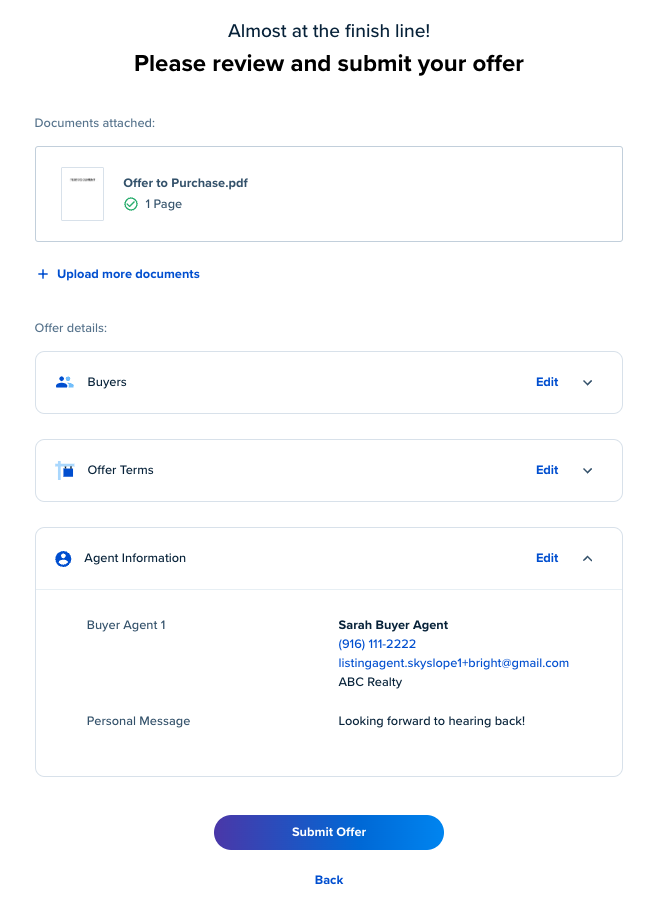
4. Review the details and click Submit Offer. You will receive an email confirmation, and the listing agent will be able to contact you directly about the offer.
Review and Manage Offers in One Place
You manage a lot of buyers and potential offers. With SkySlope Offers, you can keep track of all the offers you’ve submitted for your buyers by accessing SkySlope Offers from the Clients menu in Bright. This way you can easily report what you did and when to your current buyers or even refresh your memory on a returning buyer’s past experience.
Recent articles
Save time and streamline the offer process with this conveniently integrated tool that is included as part of your Bright subscriber benefits!
Back to Top