NEWS
Schedule Recurring Open House and Bulk Delete options now available in Listing Management
Managing your listings is time-consuming, and there are only so many hours in the day. To help you enter and edit listings more efficiently, we recently added the ability to schedule multiple open houses and delete other records from Listing Management in one easy step.
Schedule recurring open houses in Listing Management
Now when you schedule an open house, there is a checkbox that allows you to make it a recurring appointment. Choose the day(s) you would like to schedule the open house along with the end date. Recurring open houses can be scheduled up to four weeks in advance. Once they are created, you can edit the open houses individually as needed.
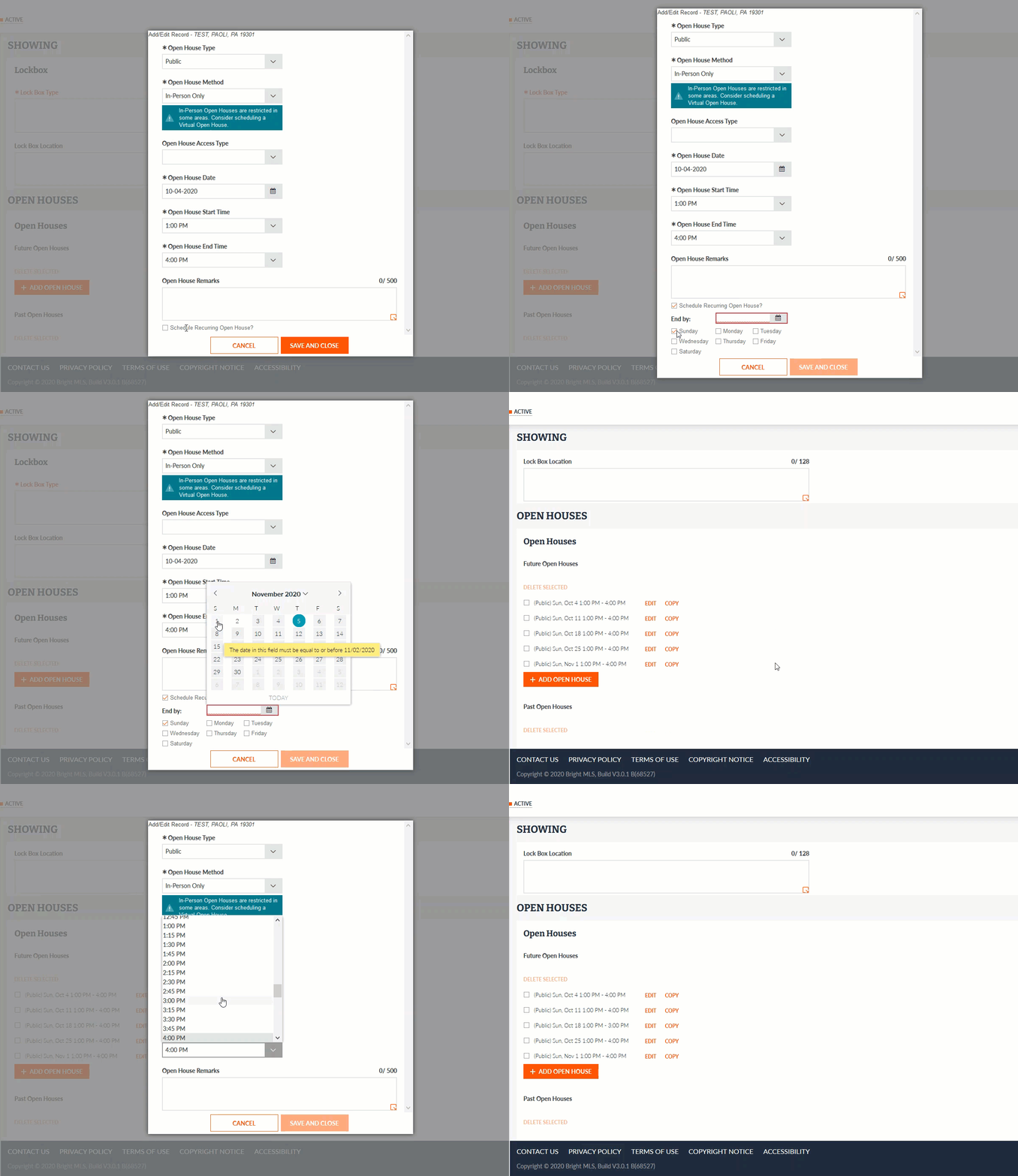
Please note, once an open house is created, it cannot be made into a recurring appointment using the Edit button. To schedule a recurring open house from one of your existing open houses, select Copy to create a new open house and schedule future dates.
Remove multiple records at once with Bulk Delete
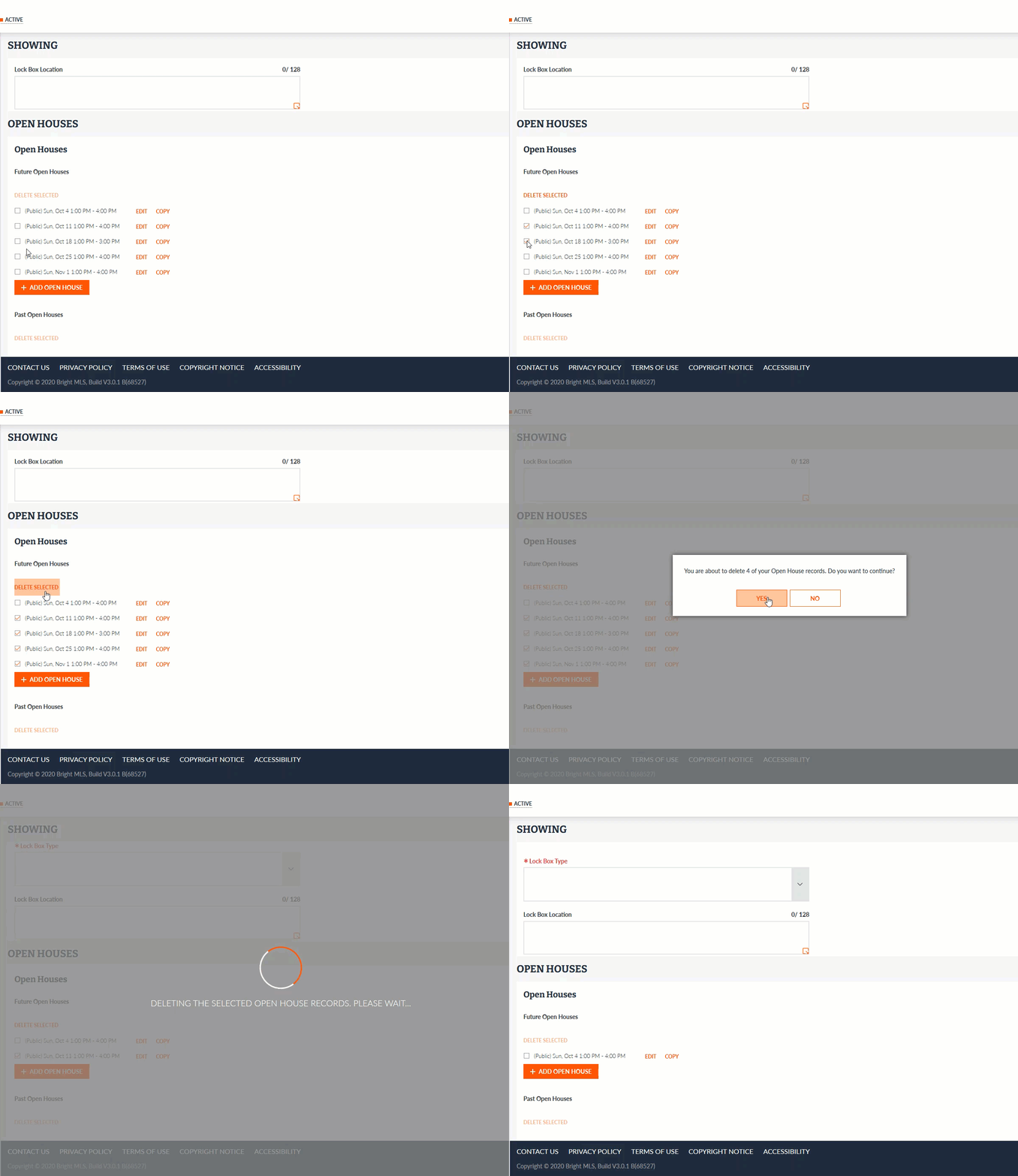
In addition, we have added a Bulk Delete option for removing multiple records at once from the following categories in Listing Management:
- Open Houses
- Green Verification
- Units (Multi-Family and Commercial properties)
Choose the record(s) you would like to remove using the appropriate checkbox, and click the Delete Selected button. A confirmation message will display to make sure you wish to proceed with removing the selected number of records.