
NEWS
Map Out Your Clients’ Ideal Commute
Get more out of your map searches with the My Commute Time tool and Map Layers.
Location has always been a crucial consideration in real estate. A listing might check every box on your clients’ list of needs and preferences, but if it’s far away from work, school, shopping, dining, or other destinations that matter to them, they might decide to pass. With the My Commute Time tool in Bright’s Map Search, you can easily locate properties that satisfy their location preferences. Regularly updated with real-time data from Google Maps, My Commute Time serves up reliable results for listings located within a certain commute time frame.
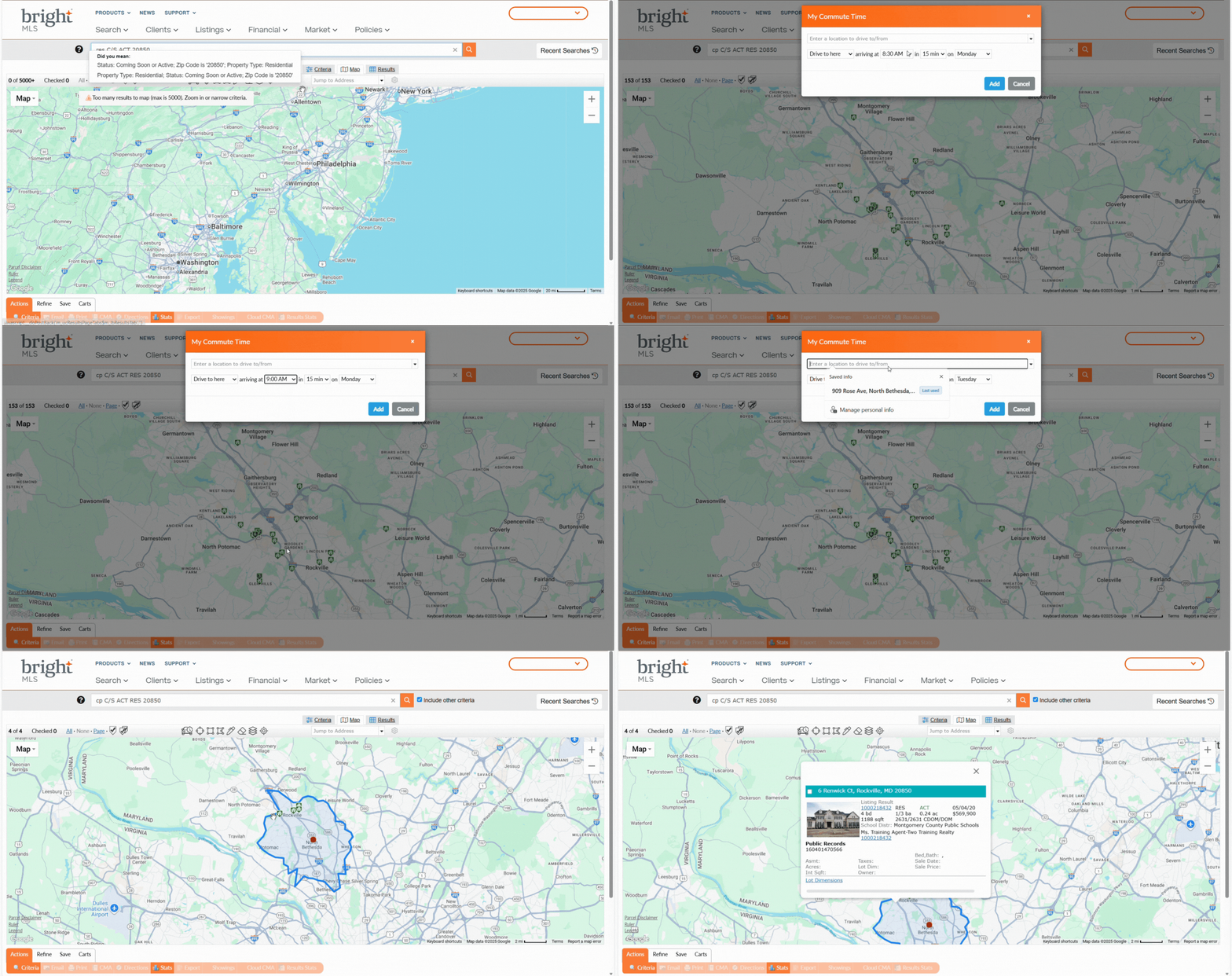
Search by My Commute Time
- In Bright Search, enter your search criteria and click Map.
- Click the Commute icon
 at the top of the map.
- Enter a location to drive to or from. You may enter a specific address, or city and state. You can also use the dropdown menu to select your current location or recent locations.
- Select a time of arrival, a commute duration, and a day of the week from the dropdowns, and click Add.
The map will show a shape that includes properties that match your search criteria and specified commute time parameters.
Explore the Neighborhood with Map Layers
- In Bright Search, enter your search criteria.
- Click the Map tab to center on your property results.
- Click the Layers icon
 and choose schools and/or other points of interest.
- Zoom in to see your selected points of interest and their boundaries on the map in relation to properties.
Sharpen Your Search Skills
Join an upcoming learning session for valuable tips to enhance your next residential search.