
NEWS
Important Security Update for Bright Subscribers
Bright has begun a phased rollout of multi-factor authentication to better protect your account. Learn how it works and save time by enrolling now.
Bright is in the process of activating multi-factor authentication for all subscriber accounts in an effort to help prevent unauthorized access. Watch the video below to see how it works.
More About Multi-Factor Authentication
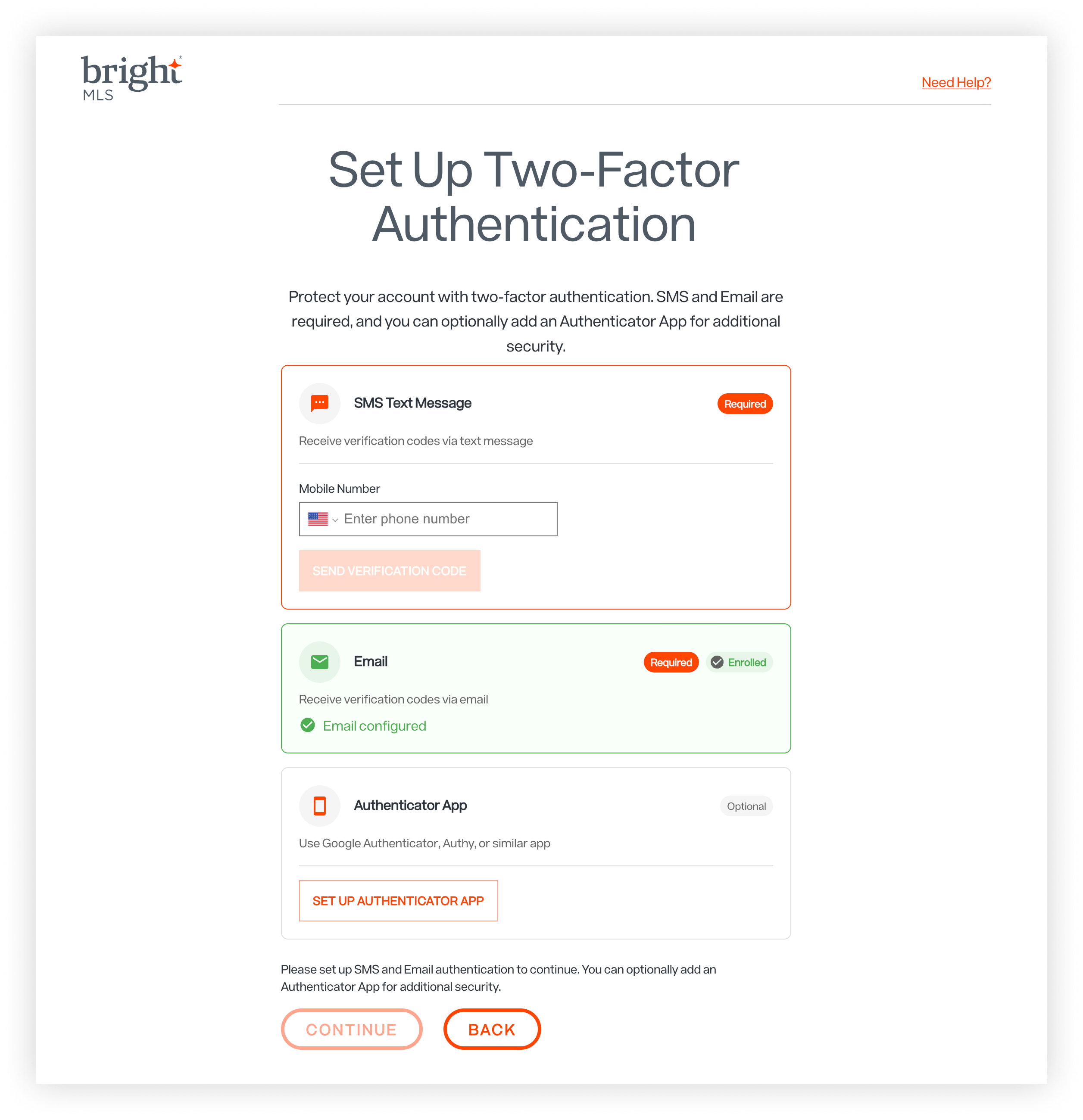
Once activated, multi-factor authentication will apply to all Bright systems, including BrightMLS.com, Matrix, Nestfully, and MLS-Touch. When logging in, you’ll enter your usual credentials, then confirm your login by entering a verification code that will be sent to you via your preferred method:
-
SMS (text message) – default
-
Email
-
Authenticator app
You will only need to verify your identity once every 60 days on each device you’re using to log in.
Save Time with Early Setup
You don’t have to wait until your scheduled launch to enable multi-factor authentication. You can now opt in at your convenience.
Here's how:
-
Log in to your Bright account and click on your name in the top right corner.
-
Select Password & Security from the dropdown menu.
-
Click Enable Two-Factor and then follow the instructions on the screen to complete setup.
What's Next?
We will reach out to you in advance to confirm your specific launch date and remind you how to set up your account to receive verification codes if you haven’t already done so. Make sure your contact information is correct in the Bright system and that your email account is set up to receive emails from Bright. For more information about multi-factor authentication and accessing your Bright account, see the article below.