
Teams by Bright gives your team the recognition they deserve on listings and reports in the MLS. Watch this video to learn more.
NEWS
Grow Your Team in Bright!
Teams by Bright makes it easy for Team Leads to invite team members to grow their team in the MLS.
Whether you recently signed up or would like to sign up for Teams in Bright, it's easy to invite team members and watch them grow in the MLS.
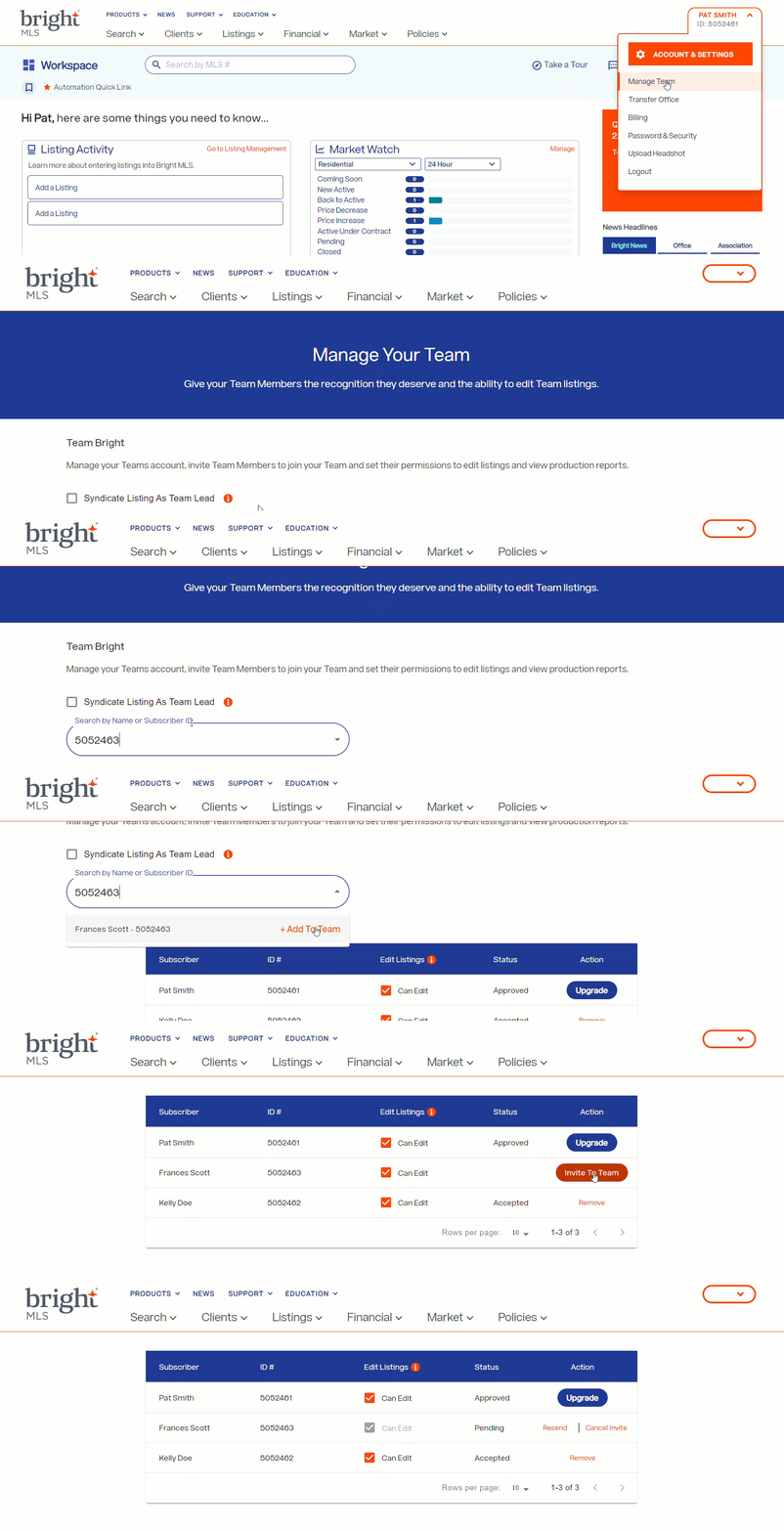
Team Leads can invite agents and assistants to join their team in 4 easy steps!
- After your Broker approves your team, click the Manage Team link underneath your name in Bright.
- On the Manage Your Team page, enter the subscriber ID or name of the individual you want to invite in the search bar.
- Click +Add to Team.
- Then click the Invite to Team button that appears with that individual's name in the Action column. To learn more on how to manage your team and edit team member's access to edit team listings in Bright, go to this article.
An email notification will be sent to each person you invite to join your team. After they accept, you will notice their team status will be updated on the Manage Your Teams page as Active.
Please note, they have 30 days to accept your invitation. After the 30 days have expired, you will need to resend a new invitation.
Need Live Training on Teams or Other Bright Tools?
Register for one of our upcoming webinars.
Schedule a time to Connect with a Customer Success Coach.
Ready to Get Started Using Teams?
Ask your Team Lead to submit your team information for Broker approval today!
Recent articles
Back to Top