
Our recent Bright Search enhancements make it easier to find the Coming Soon and Active properties your clients want to see.
NEWS
Updates to Your Client Activity Tools
A fresh new interface makes it easier to manage and review your Auto Emails, Saved Searches, and Carts & Favorite Searches pages.
Recent updates to Bright Search made it easier to find the Active and Coming Soon properties your clients really want to see. Now, we've launched additional Search enhancements that will further improve your client management experience from Bright.
The Auto Emails, Saved Searches, and Carts & Favorite Searches pages are refreshed with a new layout and mobile-friendly functionality, making it easier for you to access, manage, and review these pages from your favorite device.
What was updated?
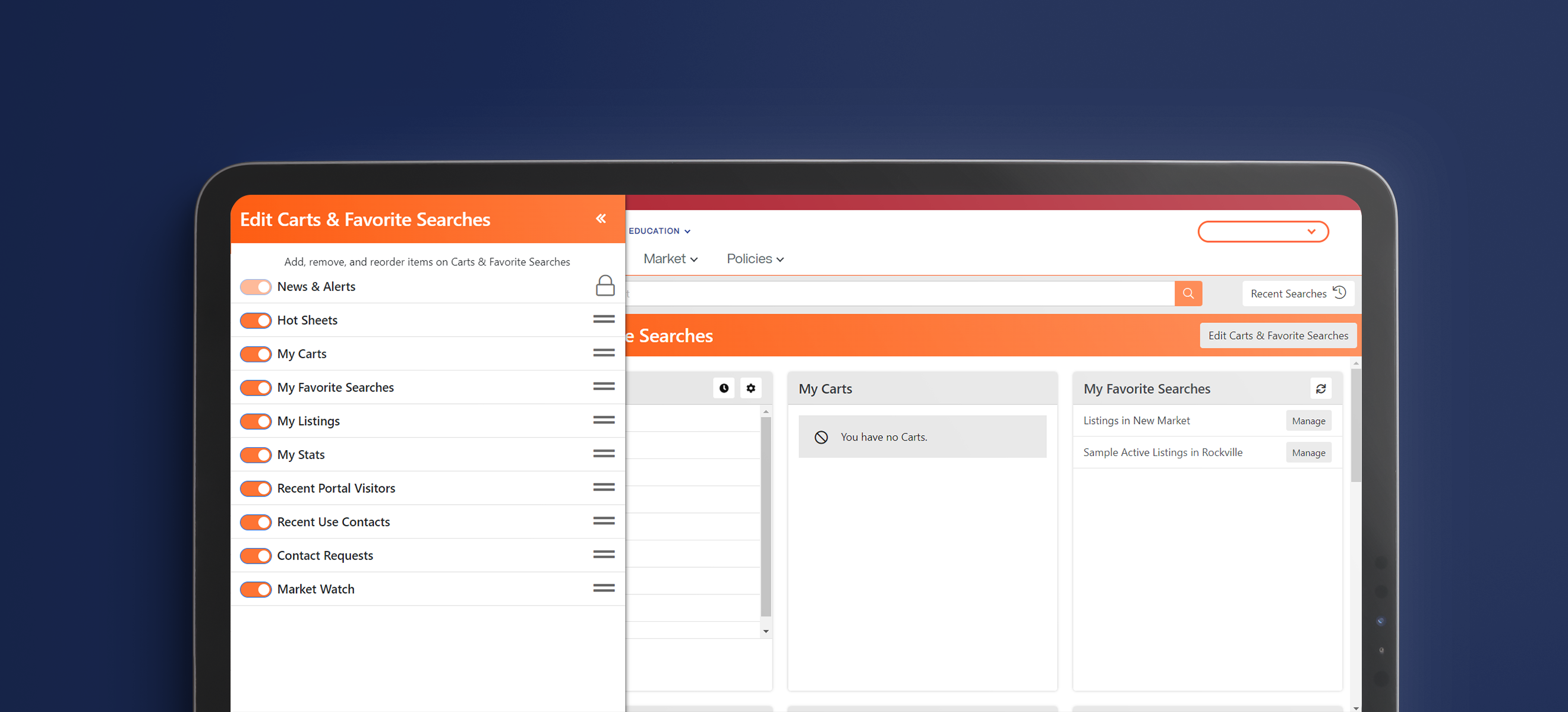
- Carts & Favorite Searches Dashboard – This page now has an intuitive new layout plus a Timeline feature that lets you track recent client activity in chronological order. Also, the Edit Dashboard button allows you to easily reorder and toggle on/off the displayed panels and widgets. Note: News & Alerts will always display in the first position and be hidden if nothing is posted, in order to save screen space.
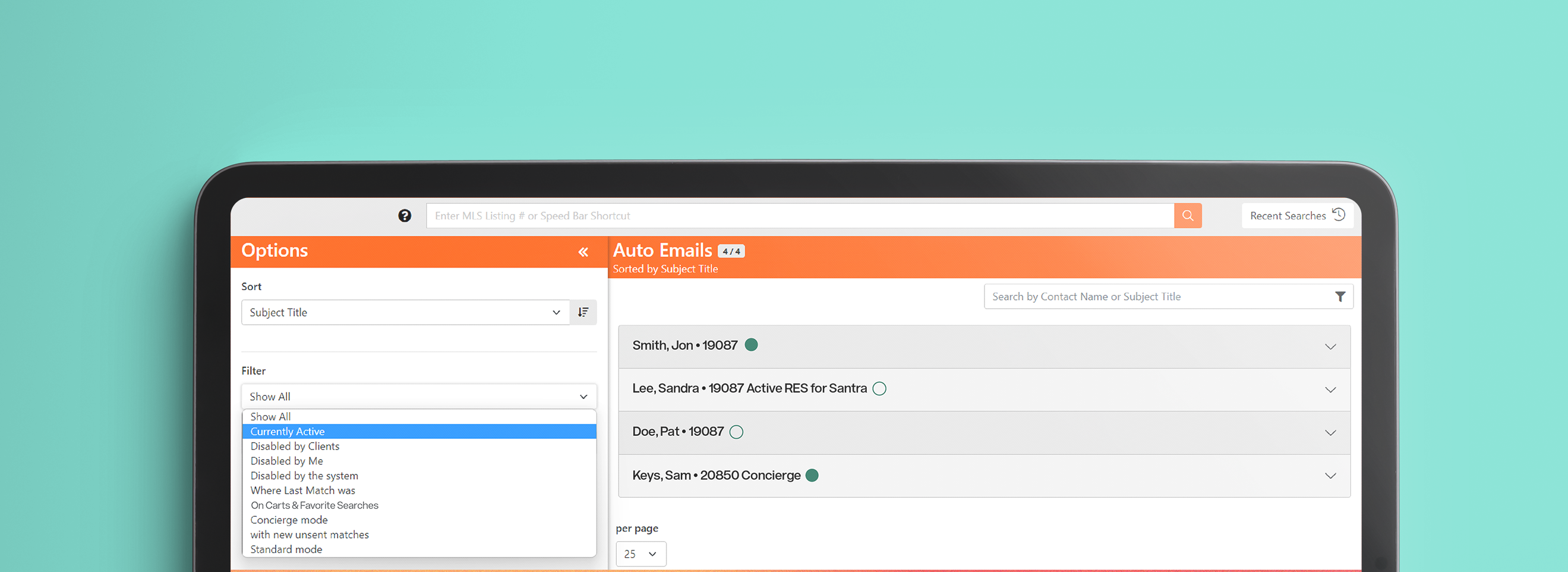
- Auto Emails – Sort, filter, or show your list of Auto Emails using the >> icon at the top of the page. View basic information for each Auto Email in its list view, or click on one to see the details or jump to available actions. There will now be an option to Disable each Auto Email individually by clicking the Disable button in the expanded view of that selected Auto Email.
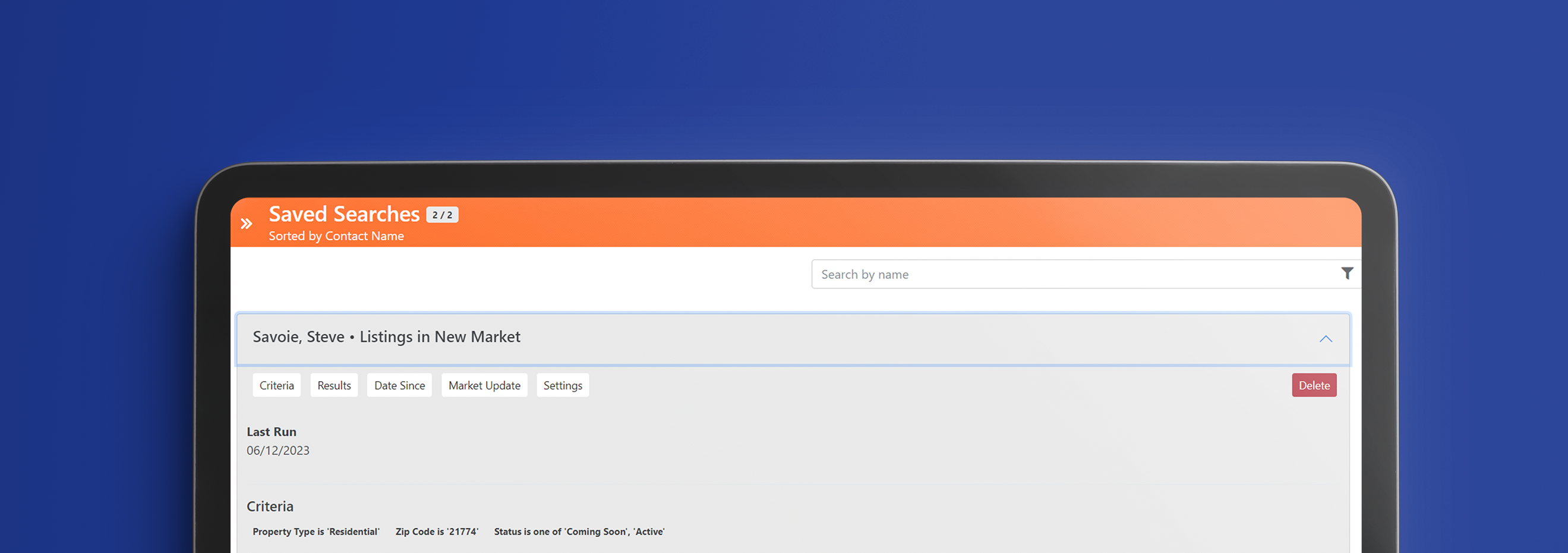
- Saved Searches – Sort, filter, or show your list of Saved Searches using the >> icon at the top of the page. View basic information for each Saved Search in its list view, or click on one to see the details or jump to available actions. You will now be able to choose whether or not to display your Saved Search on your Carts & Favorites Searches Dashboard by toggling it on/off from its Settings.
Optimize Your Search Results
Learn how to get the most out of your Bright Search experience with convenient live training:
- Sign up for an upcoming webinar
- Schedule a personalized session with a Bright Customer Success Coach
Learn more! Attend our training
Join us for a special webinar on the new client activity tools in Bright.
Recent articles
Back to Top