
NEWS
Now available: Auto Populate Schools Yes/No
Automatically enter school information when starting a new listing with this update to Listing Management.
To help save you time when entering a listing, a new option for autofilling schools is available in Bright. Listing Management field default preferences now include Auto Populate Schools Y/N.
These settings can be updated anytime by selecting the Set Listing Defaults button on the new listing screen, or by selecting Set Field Defaults at the bottom of the full listing edit screen.
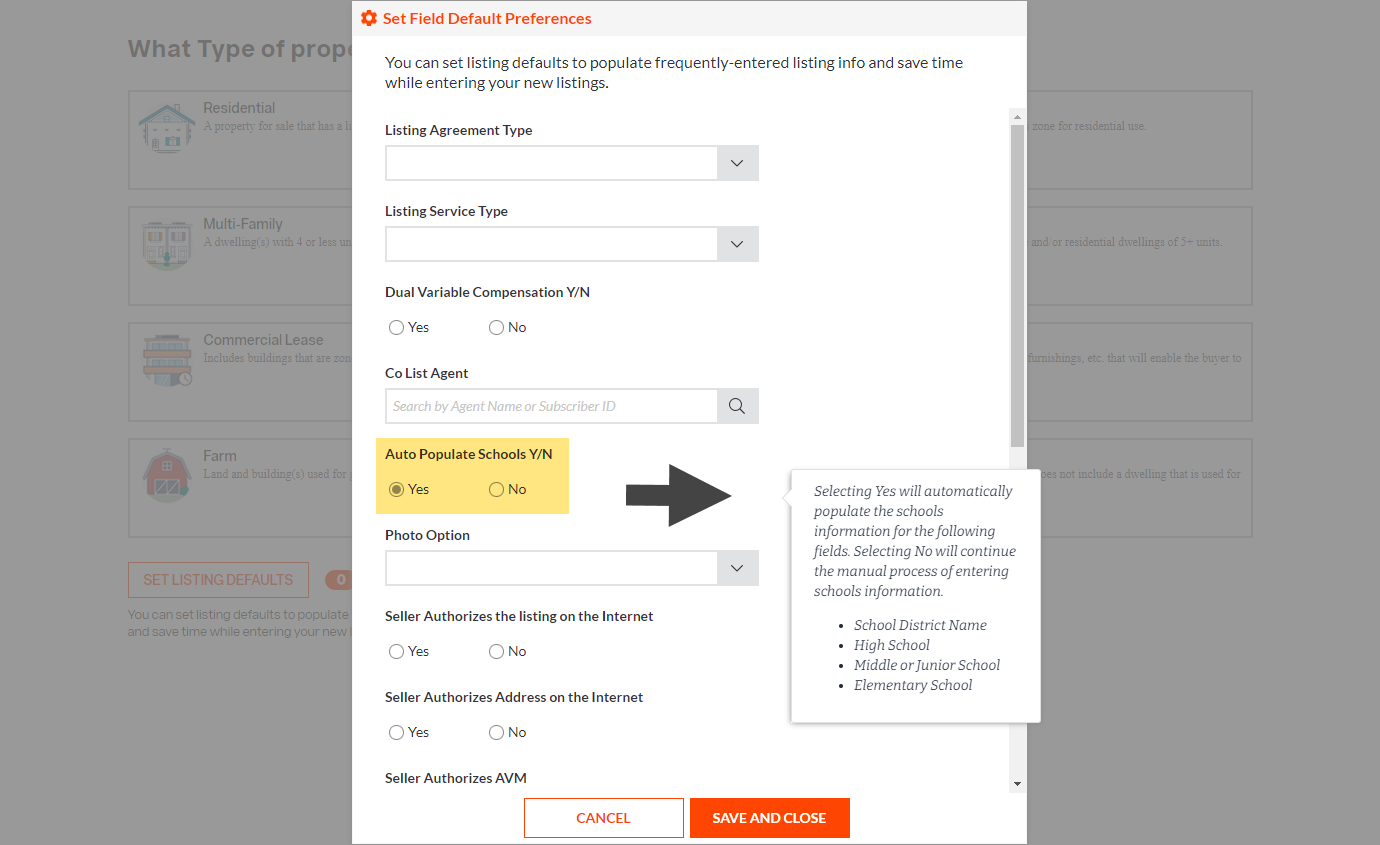
The new Auto Populate Schools Y/N option works the same way as the Find Schools button in the full edit form, which looks up a property’s address and populates information for the following fields:
- School District Name
- High School
- Middle or Junior School
- Elementary School

Sometimes a school lookup returns multiple results, due to the location of the property. If this should occur for a listing when the Auto Populate Schools Y/N default is selected, these fields will remain blank so you can choose the correct schools in the full edit form.
Need live training on how to get maximum exposure for your listings in Bright?
Register for one of our upcoming webinars.
Schedule a time to Connect with a Customer Success Coach.