
NEWS
April 16: Release Notes
The following items were released April 16:
Daily listing alert emails are now available in Bright.
To help equip you with important listing dates or status information while out in the field and not in the Bright system, you’ll now have a daily listing alert summary delivered straight to your inbox. Learn more here.
Updates to improve searches and data in Listing Management.
- Subdivision names have been updated for over 100,000 listings across the following counties: New Castle, DE, Cumberland, PA, Culpeper, VA, St. Mary’s, MD, and Anne Arundel, MD.
- Approximately 165,000 Bright listings missing the last business history entry are being updated to add the missing status.
- Street Direction Prefix and Street Direction Suffix have been added back into listings imported from MRIS and TREND.
- Designated Representative Y/N will now be displayed in Agent Full reports only for Virginia listings, and will be hidden for all other states.
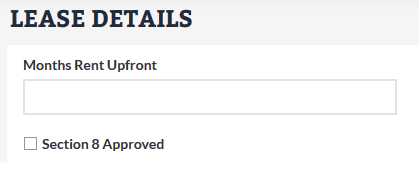
You can now list and search rental properties approved for Section 8.
In Listing Management, a new field has been created to designate Residential Lease and Multi-Family properties that have been approved for Section 8. Learn more here.
The following fixes and changes were made to Search and reports:
- City and ZIP code are now included in the Three-Up Print to PDF report.
- Improved spacing on CMA reports to support long addresses and prevent any overlap with report labels.
- When updating your contact information (preferred name, phone, etc.) in Account & Settings, contact information shown in the header and footer will update once you log out and then log back into Bright. For clients, updated contact information will display the next the time they open the Client Portal.
- Coming Soon has been removed from Market Watch, Hotsheets, and Search by Status Change. This was done because no history records are created for Coming Soon listings in Bright, so the option does not return any results. It will be re-added in a future enhancement that allows listings to be categorized by the status in which they were posted.
Back to Top