NEWS
June 23: Release Notes
Please note: Some of the changes below affect new or existing required fields in Listing Management. You will be required to update these fields before you can publish any changes to your on-market listing(s). Learn more about finding and updating required fields here.
The following items were released June 23:
Improved Levels/Stories options in Search and Listing Management.
Based on your feedback, we have updated the Levels/Stories field in Search and Listing Management. This field now includes nine new options up to 7 levels that will make it easier for you to enter the number of levels for a property and search for the exact number of levels according to your buyer’s needs. If you chose “Other” in Listing Management previously, you will need to select a new value. Learn more here.
RentSpree online application link added to Search and Listing Management for Residential Lease listings.
This field is now required for Residential Lease listings: To make it easier for you to add a RentSpree online application to your active rental listings, a new required field has been added to Listing Management called RentSpree Online Application Y/N. Selecting “Yes” for this field will automatically generate a RentSpree ApplyLink for your listing that will be sent to you via email. The RentSpree online application link will also appear in Search for listings in the Client Portal and on the Agent/Client Full report. Learn more here.
Virtual showing information now available in Listing Management and Search.
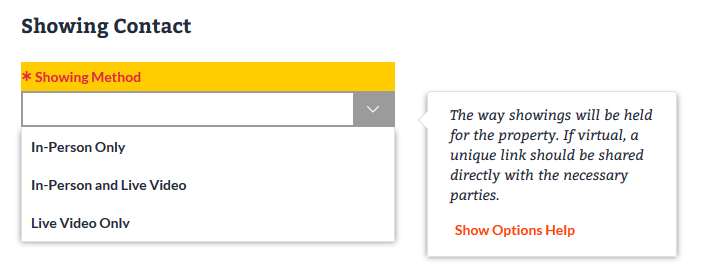
This field is now required for all property types: During COVID-19, many of you have turned to virtual solutions for your clients. To help you to continue to show properties virtually in addition to in-person showings, a new required field has been added to Listing Management and Search called Showing Method. This single-select field will allow you to enter and search by “In-Person Only,” “In-Person and Live Video,” and “Live Video Only.”
Showing Method will also now display on all agent reports:

Enhancements to Virtual Open House information in Listing Management and Search.
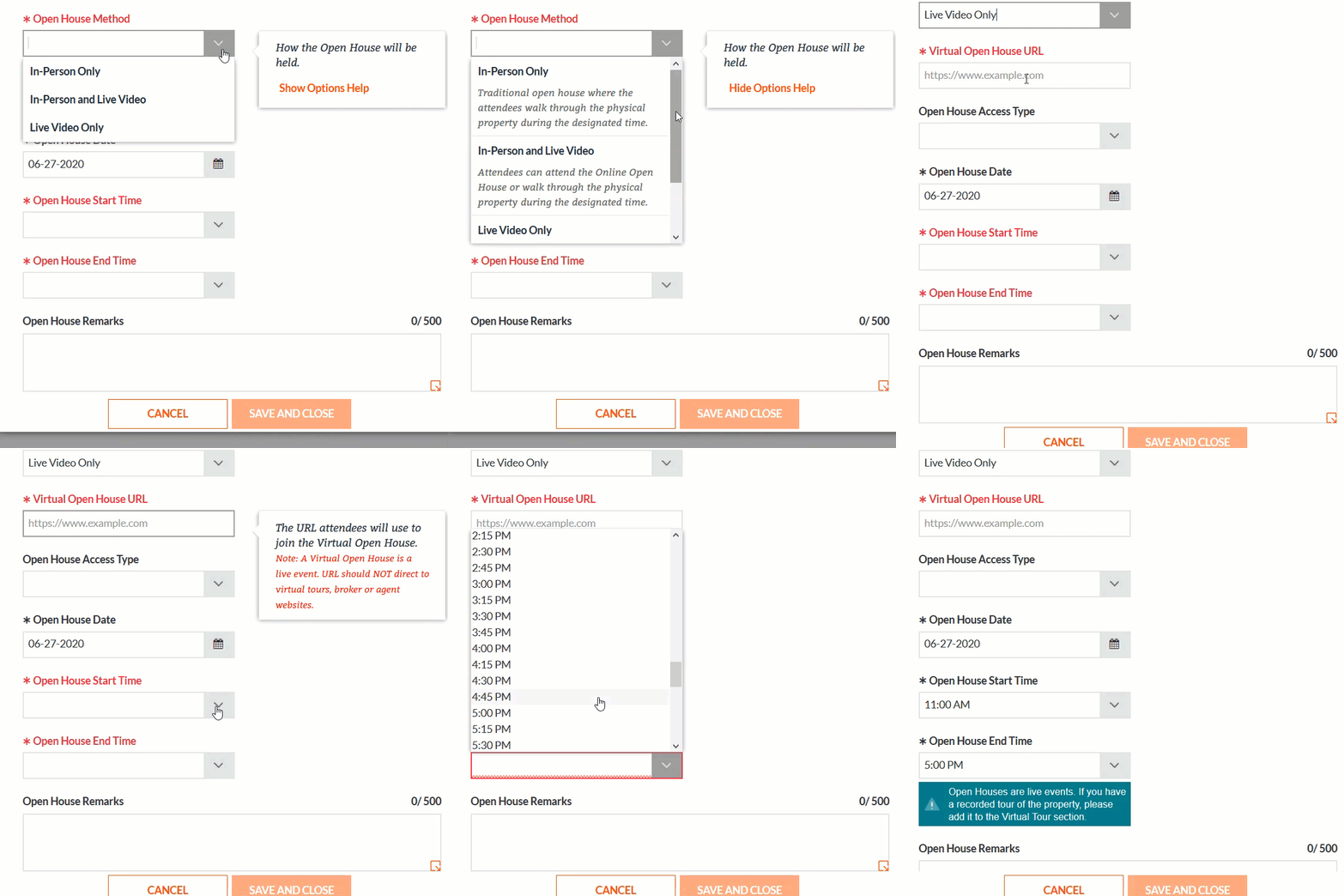
To match the new Showing Method options, we have updated the Open House Method options in Listing Management and Search to reflect “In-Person Only,” “In-Person and Live Video,” and “Live Video Only.” Also, to help differentiate a virtual open house from a virtual tour, we have added new help text to the Virtual Open House URL field, and a warning message will now display if your Open House duration time exceeds five hours. Learn more about virtual open houses and other showing solutions in Bright.
Coming Soon status warning messages in Listing Management.
To help clarify our rules related to Coming Soon, a new warning message will appear in Listing Management. The warning states a listing cannot go back to Coming Soon once it is moved to another status, and must be off-market for more than 60 days to be relisted in the Coming Soon status.
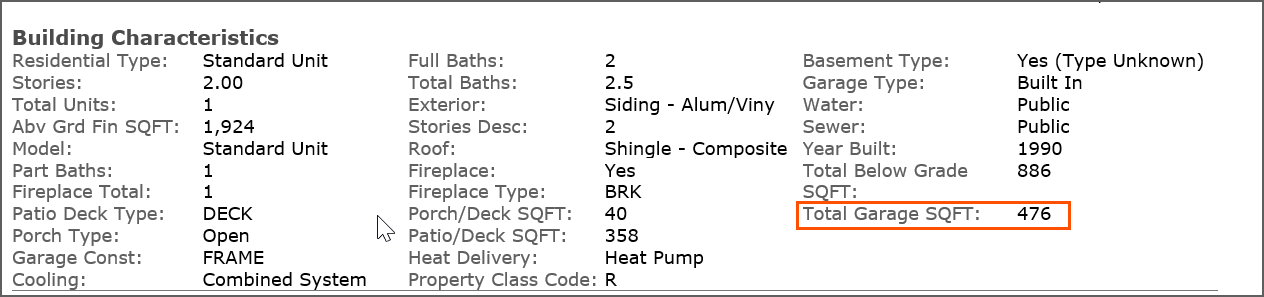
Total Garage SQFT added to reports in Search.
The Total Garage SQFT field that is displayed in Bright’s Public Records database is now included on the Agent/Client 360, Client Public Records Full, and Public Records/Appraiser One Page reports.
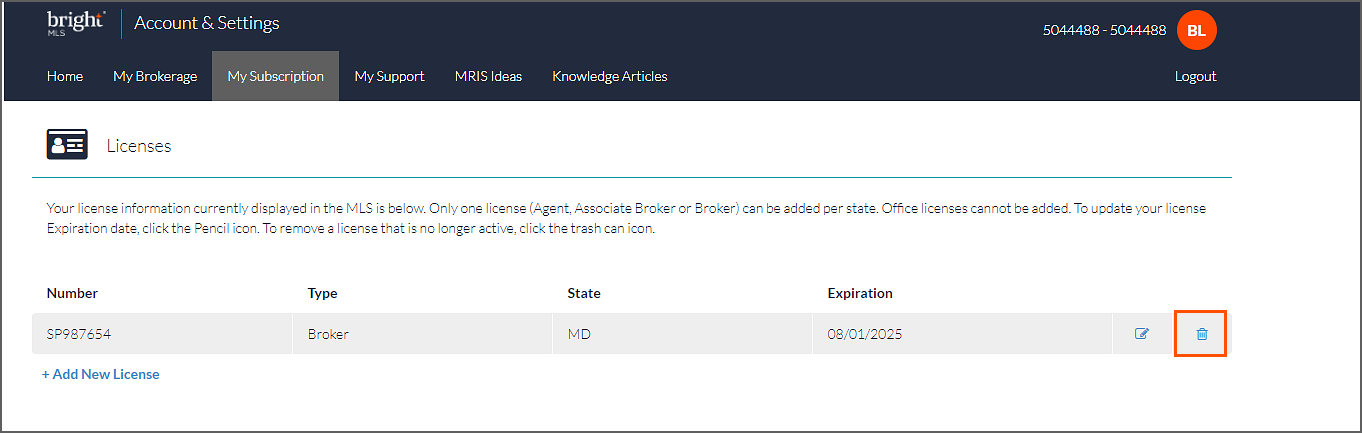
New option for removing expired licenses in Account & Settings.
The License Associations MLS section of Account & Settings has been updated to include a trash can icon to make it easier to remove a license that is no longer active. Learn how to edit your license expiration date in Bright.